
WooCommerce
Install our plugin and place the configurator on a page. We can guide you through setup or install it in your store for you.
Install the WooCommerce plugin// online store integration
Connect your Offerandum configurator to your online store. Customers select their options, and the configurator adds the matching products to the cart. They pay through your store’s checkout.
Demo in Polish. No real purchases.
WooCommerce, Shopify, and other stores

 Fence panelsSelected size and color
 Matching posts
 Mounting hardware
// from selection to checkout
They enter dimensions and choose colors and accessories in the configurator on your store’s website.
When the customer clicks “Add to cart,” the configurator adds the matching catalog items in the quantities needed.
They choose shipping and pay through your store, just like any other purchase.
// room for custom work
One configurator can handle both. We work with you to decide which choices go to checkout and which need a conversation.
An option your store carries
The configurator adds the selected items to the cart. Your customer continues to checkout.
// test before it goes on your store
Before you place the configurator on your store, open its test link. Select options the way a customer would and see, side by side, the cart that selection produces.

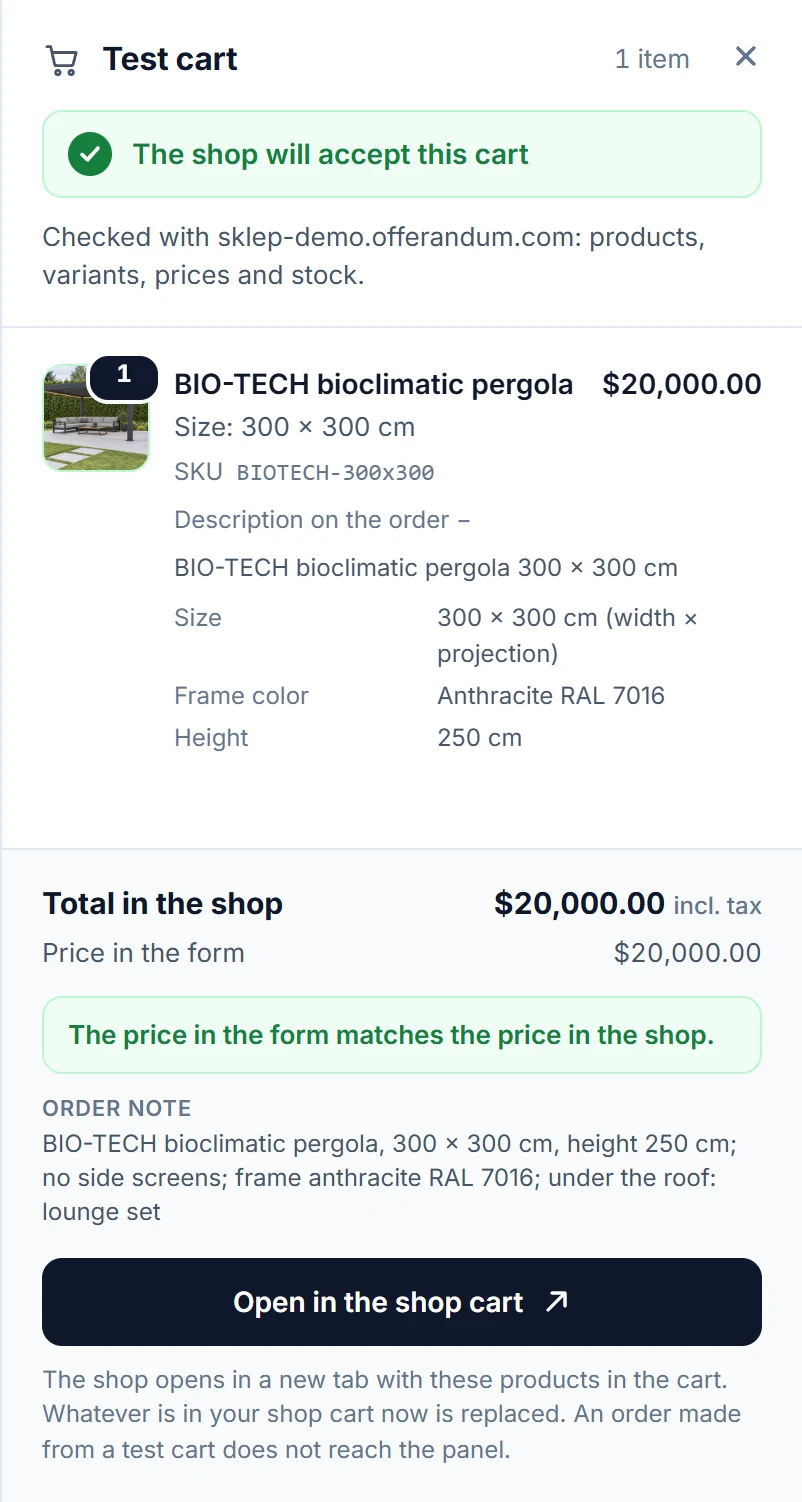
Your store confirms every line: product, variant, and quantity. A wrong SKU is flagged on the line it belongs to.
The store’s total sits next to the configurator’s price. If they differ, you see by how much.
When stock runs short, the test cart shows how many units are available and how many are needed.
One button opens the same products in your store’s own cart.
Store checks work with the WooCommerce plugin. On other platforms the test cart lists the products with their SKUs to compare against your catalog. Tests do not count as leads or orders.
// built around your store
Install our plugin and place the configurator on a page. We can guide you through setup or install it in your store for you.
Install the WooCommerce pluginThe configurator adds products to the cart without an Offerandum plugin.
We work with your store developer to connect the configurator to its cart.
The WooCommerce plugin can also report orders to Offerandum. Other integrations handle adding items to the cart.
Connect your store without a subscription upgrade.
// good to know
Yes. Get in touch and we’ll help you with setup. We can also install the WooCommerce plugin and add the configurator to your store for you. If you use another platform, we’ll work out the integration with you.
No. Cart integration is available on every plan without changing your subscription. Offerandum does not charge a commission on orders.
Your store's catalog prices. The configurator supplies the products, variants, and quantities. Any estimate displayed inside the configurator needs to be kept aligned with the catalog; cart integration does not automatically update those displayed rates.
Yes. We set up catalog options to end with Add to cart. A custom size or combination that has no catalog product ends with a quote request and contact details.
Send us your store address and a product you want customers to configure. We will work through the options and catalog connection with you.